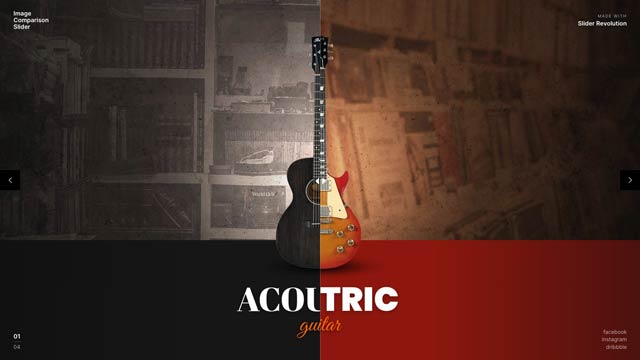
Before & After

Before and after,one drag apart.

Two versions of a picture, one over the other, and a handle your visitors drag between them: a retouch, a renovation, this year next to last year. Horizontal or vertical, on any website, from one line.

Free with a watermark. ProProNo watermark, 25 live modules on 5 domainsNo watermark25 live modules5 domains500,000 views a month removes it on your domains.
TemplateImage Comparison SliderOpen the template

Before & After

Compare two slides with a draggable handle

Compares two slides with a draggable handle, horizontally or vertically. The handle can carry a label, animate on click, and the comparison can switch off on mobile.

  • 2templates
  • Before and after image slider
  • Photo retouching comparison
  • Renovation or product comparison with a drag handle
In the library

In templates

Presets1

Before / After

Templates with a before-and-after slider

Start from one of these and put your own two pictures in it with Quick Edit.

A before-and-after slider on your platform

Build it once in SR Anywhere and paste one line where it should appear. No plugin and no app on any of these.

Three steps, no plugin.

A template on SR Anywhere is a module you own. It lives on our edge and shows up wherever you paste its line.

Pick one

Every template is finished and animated. Hover to see it move, open it to try it live.

Make it yours

Swap words, media and colours in Quick Edit, or connect ChatGPT or Claude and describe the change.

Paste one line

Publish and copy the script line into Shopify, Squarespace, HubSpot, Shopware, Wix, WordPress or plain HTML.

https://anywhere.sliderrevolution.com/api/mcp

In Claude, add SR Anywhere as a custom connector with this address, then click Allow on the page that opens, signed in to SR Anywhere.

Your AI
<script src=https://embed.sliderrevolution.com/i/ek_h4mqz7kxp2vt6wnra3ce/embed.js async></script>

Paste it into a Custom HTML block where the module should appear. Any theme, no plugin.

Publish anywhere

More effects

Each one on a page of its own, with its presets and the templates that use it.

Five particle effects
Three pointer effects
Typewriter Effect
Liquid glassFlowing glass that refracts what lies beneath it.
Liquid Glass

Questions

Yes. The comparison runs horizontally or vertically, and the handle can carry a label.

It compares two whole slides, so each side can carry its own picture, text and layers.

The comparison works there too, and you can switch it off on phones to show one side only.

Publish the module and paste its line: into a Code block on Squarespace, a Custom Liquid section on Shopify or an Embed HTML element on Wix. The platform guides show each step.

Show the difference.

Pick a template with a comparison, put your two pictures in it and paste one line into your site. Free with a watermark, sign in with your e-mail to start.